Genius MFP
A user interface for your entire fleet of devices
Genius MFP is the user interface on the multifunction printer: an intuitive, graphical interface that provides almost the same range of functions and the same look and feel across almost all supported manufacturers. As easy to use as a smartphone, and centrally configurable via a web interface.
Book your appointment for Genius MFP
You are currently viewing a placeholder content from eTermin. To access the actual content, click the button below. Please note that doing so will share data with third-party providers.
More InformationThe challenge
Every manufacturer a different menu, every change a new learning curve
In mixed fleets, every device has its own operating concept. If the hardware supplier changes, the familiarisation process starts all over again, even though the actual task has remained the same. At the same time, confidential printouts wait unprotected in the output tray, and paper-based workflows remain disconnected from digital processes.
- Different operating concepts depending on the manufacturer prolong familiarisation periods.
- A change of hardware manufacturer necessitates new training and new habits.
- Printouts are left exposed in the output tray instead of waiting securely for the authorised user.
- Paper-based processes start at the device, but also end there, without any connection to digital workflows.

Solution
Vendor-agnostic operation, secure printing, digital processing
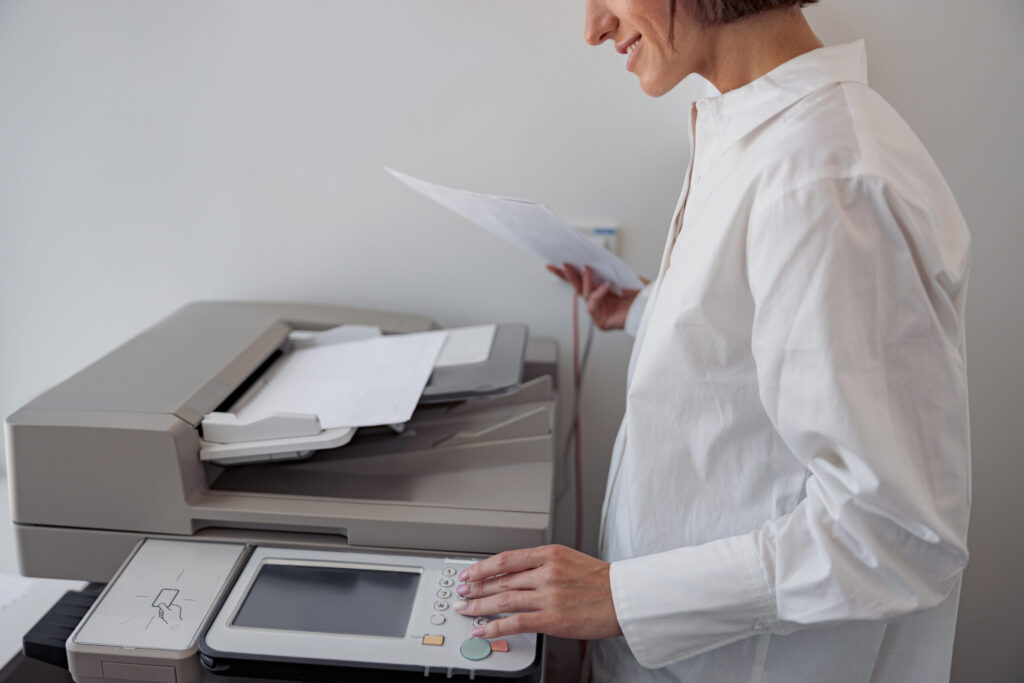
Genius MFP supplements or replaces the features provided by the device manufacturer, turning them into a uniform user interface across the entire fleet. If you change hardware manufacturer, your users can continue working without compromise in the familiar user experience and without any acclimatisation period.
Confidential documents wait in a secure holding state until the authorised user logs in at any connected device. And because digitalisation often starts with scanning, the multi-function device can be used as an input channel or intermediate step for digital processes.
Book your appointment for Genius MFP
You are currently viewing a placeholder content from eTermin. To access the actual content, click the button below. Please note that doing so will share data with third-party providers.
More InformationBenefits
This is what Genius MFP can do
vendor-neutral interface
An intuitive graphical user interface that provides almost the exact same range of functions and appearance across nearly all supported manufacturers. Operating logic inspired by modern smartphones for short familiarisation periods.
Authentication according to your rules
Log-in via login, company ID card, PIN or strong authentication using a card and PIN. Administrators determine who uses which method. Guest access and PINs with an expiry date are possible, and automatic log-out occurs in the event of inactivity.
Pull Printing on any device
Print jobs are buffered and only released after successful authentication at any connected output system in the network, across locations if desired. Includes reprint functionality and auto-print-all after logging in.
Scan directly into your target systems
Scan2Mail, Scan2Me, Scan2URL, Scan2Fax, Scan2Folder, Scan2Homefolder as well as Scan2OneDrive, Scan2GoogleDrive and Scan2SharePoint. The sender address is already stored after login, addresses come from the central address book or user directory.
Customisable by the users themselves
Customisable home screen and adjustable main menu: those who mainly use pull printing land directly there after logging in. Recurring scan settings can be saved.
Multilingual and capable of handling processes
German, English, Spanish, French and Italian are included in every client version, thirteen further languages upon request. The device can also serve as a starter or intermediate step for digital processes.
Book your appointment for Genius MFP
You are currently viewing a placeholder content from eTermin. To access the actual content, click the button below. Please note that doing so will share data with third-party providers.
More InformationSECURE INVESTMENT IN OPERATION
Why companies rely on Genius MFPs

Video
Genius MFP is that manufacturer-independent
Genius MFP is designed to provide you with a familiar, consistent user interface across all manufacturers. This video shows the look and feel on various devices.
You can find further videos about Genius MFP on our YouTube page.
You are currently seeing a placeholder content of YouTube. To access the actual content, click on the button below. Please note that data will be passed on to third-party providers.
More informationImplementation
This is how we proceed
Analysis and goal definition
Together with our specialist retail partners, we analyse your existing infrastructure, workflows and requirements. We identify bottlenecks, security risks and optimisation potential and define specific goals for your project.
Solution design
Based on the analysis, we will develop your individual solution concept. All components will be tailored to your systems and goals. You will receive a transparent concept complete with a roadmap.
Implementation
Together with our specialised trade partners, we implement the solution in close coordination with your IT. We integrate systems, users and devices and ensure a smooth transition.
Book your appointment for Genius MFP
You are currently viewing a placeholder content from eTermin. To access the actual content, click the button below. Please note that doing so will share data with third-party providers.
More InformationManufacturer-independent
We support these manufacturers






FAQ
Frequently asked questions about Genius MFP
Does Genius MFP work with devices from different manufacturers?
Do I need the Genius Server in addition to Genius MFP?
Which login methods are supported?
What happens to a print job until it is collected?
In which languages is the client available?
One interface, no matter the device
Book your appointment for Genius MFP
You are currently viewing a placeholder content from eTermin. To access the actual content, click the button below. Please note that doing so will share data with third-party providers.
More Information